 minute read
Assign an ADE Profile in Microsoft Intune API
When you use Microsoft Intune with API integration, you can assign devices to an ADE profile.
To assign an ADE profile:
-
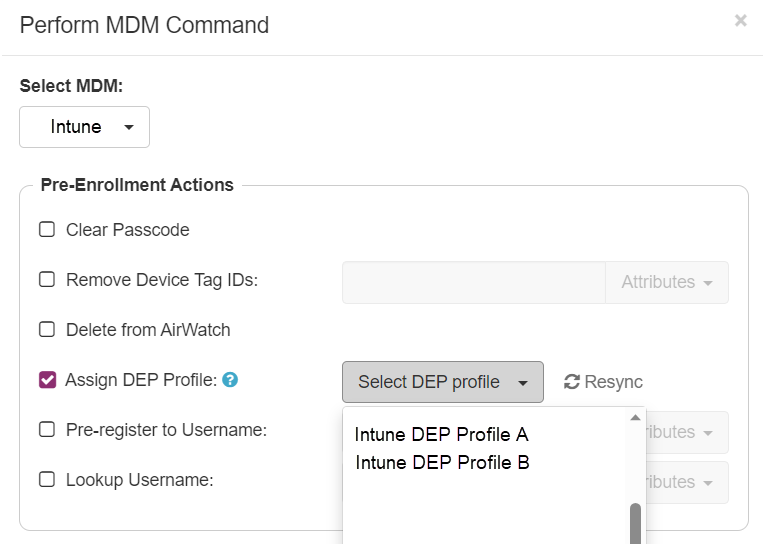
In the Perform MDM Command dialog, select Intune.
-
In the Pre-Enrollment Actions section, select Assign ADE Profile and then select an ADE profile from the list.
Click to enlarge
-
If the list is out of date, click Resync.
This feature is helpful when your organization has multiple ADE profiles, and the Mobile Access Management devices will not use the default.
For example, your default ADE profile may show several setup screens, which is not appropriate for automated device configuration. If you have created an alternate profile for MAM devices, the system can automatically assign the profile before ADE enrollment.


