Set Name
The Workflow actions available to you depend on the Workflow model you select, the MDM system you use, and the OS of your devices.
Set Name is a flexible and powerful way to automatically name devices.
In the Device Name field, you can enter fixed text to name devices, or add attributes to dynamically name and number devices.
Device and Launchpad attributes are available from the drop down list, including Built-In attributes, sequential numbers (up to 4 digits), or custom attributes created by an administrator.
To customize your device name, you can select multiple attributes by clicking on them.
Click to enlarge
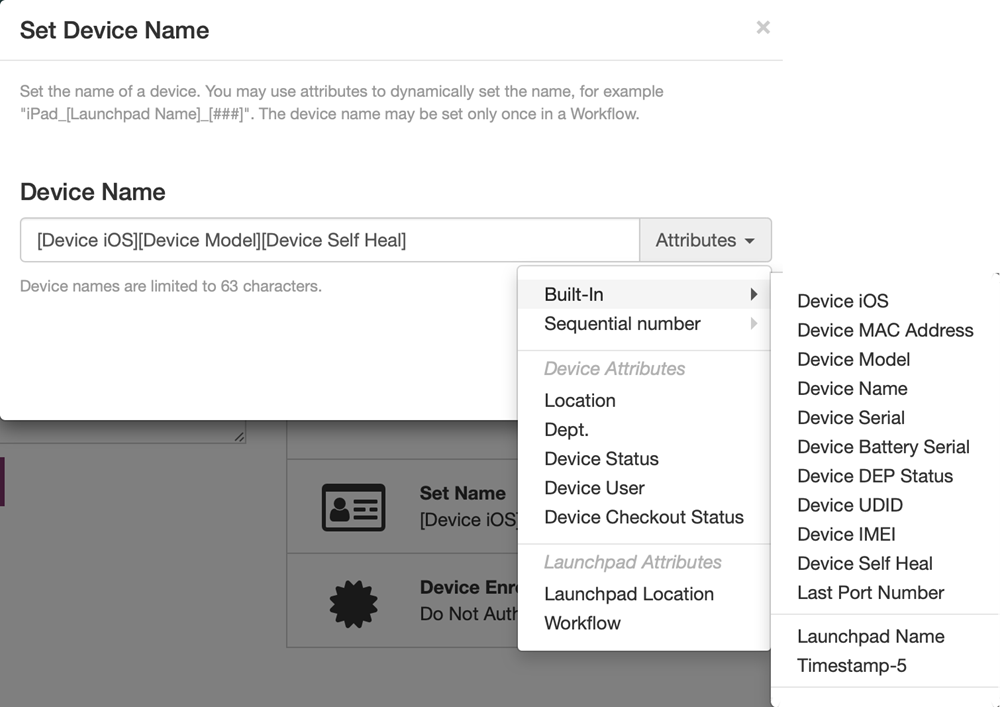
Attribute Types
For more information, see Attributes.
-
Built-In attributes: Name devices using built data, such as device Serial number, Model, Device Name, and so on.
In this case, Device name is Apple’s actual name for the device: iPad, iPod, iPhone.
-
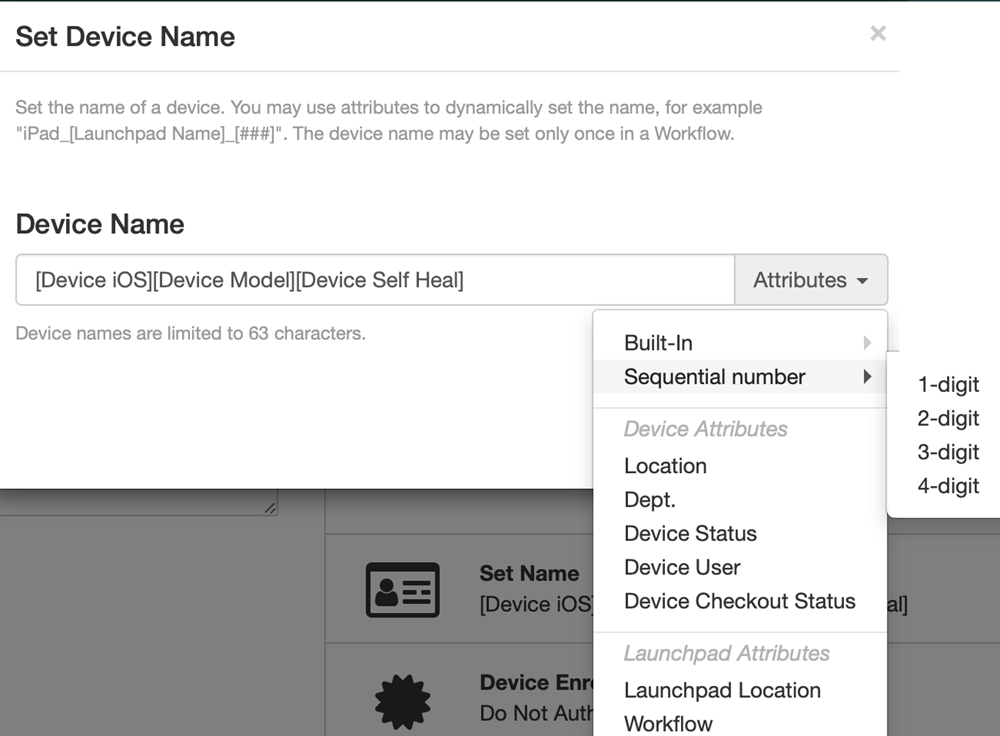
Sequential number: Sequentially number the devices with up to 4 digits. When selected, the attribute field displays the # characters enclosed in [square brackets].
For example, when you select 4-digit from the list, it is represented by [####].
Click to enlarge
-
Device attributes and Launchpad attributes: Name your devices according to attributes you created for Devices or Launchpads.
Use caution when editing attributes you have added to the Device Name field.
They are specifically created and formatted using [square brackets].


